
Vibe coding, meaning writing software by talking to an artificial intelligence one prompt at a time, is appealing because it is fast, but it collapses on a real project: context is lost between sessions and inconsistencies pile up. BMAD (Breakthrough Method for Agile AI-Driven Development) is an open-source framework built to solve exactly this problem, by giving structure to the AI’s work. This article explains how it works, phase by phase and agent by agent. It is written for architects, consultants, and technical decision-makers who want to industrialize AI-assisted development.
- What is BMAD, and which agents make it up?
- How do its four working phases unfold?
- How does it keep a project’s context in memory without losing it?
- How can it be tailored to your own needs?
What is BMAD?
BMAD combines two things: an agile method and a library of specialized AI agents. Its founding principle fits in one sentence: the specifications are the source of truth, and the code is only a byproduct. In other words, what holds authority over the project is the set of documents that describe what to build, not the code that gets produced. The official documentation is available at docs.bmad-method.org, and the source code on the project’s GitHub repository.
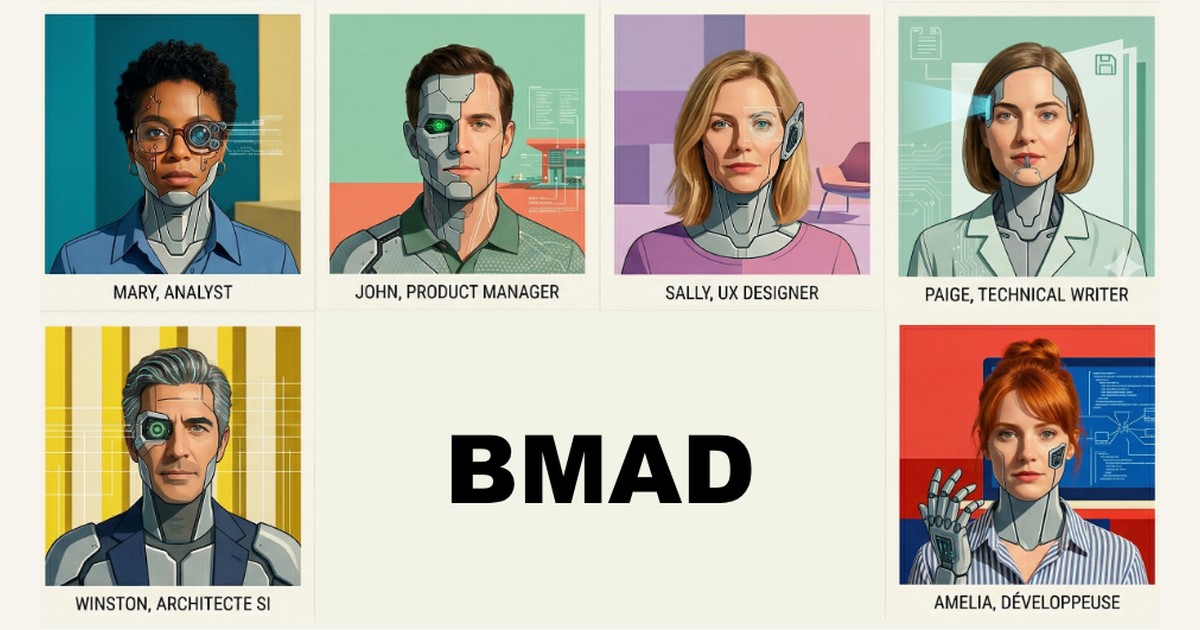
To organize this work, BMAD reproduces a real project team: six agents, each playing a precise role.
| Agent | Role | Works in |
|---|---|---|
| Mary, the Analyst | Validates the idea and concept | Phase 1 |
| John, the Product Manager | Defines what to build | Phase 2 |
| Sally, the UX Designer | Designs the interface | Phase 2 |
| Winston, the Architect | Justifies technical choices | Phase 3 |
| Amelia, the Developer | Implements story by story | Phase 4 |
| Paige, the Technical Writer | Maintains the documentation | Cross-cutting |
These six agents do not work at the same time, but in sequence, across four phases. Each phase produces documents that feed the next one. Here are the four phases, framed as the questions they answer:
- Analysis: is the idea worth building?
- Planning: what to build, and for whom?
- Solution design: how to build it, and is it consistent?
- Implementation: how to produce quality code, iteratively?

Workflows, the engine of BMAD
Between the phases and within each one, everything is orchestrated by more than thirty-four workflows. A workflow, in BMAD, is a step-by-step guided process, defined in a YAML file (a structured, human-readable text format used to describe configurations), that drives an agent’s work on a specific task. It is not a simple prompt: it is a structured script that the agent runs while talking with the user.
Each workflow brings together three characteristics:
- A driving agent: the workflow is run by a specific agent, whose personality, skills, and style are suited to the task.
- A structured process: steps, questions, and intermediate checkpoints, rather than a free-form conversation.
- An output artifact: a versioned Markdown file that becomes the context for the next step.
How is BMAD used day to day?
BMAD is used inside a development environment such as Claude Code, Cursor, Windsurf, or Visual Studio Code. The experience is conversational: the user loads an agent, either on the command line (CLI, Command Line Interface, the interface where you type instructions on the keyboard) or in the editor’s chat, and then lets it guide them.
At any moment, a help command analyzes the state of the project and recommends the next step, like a GPS for the project. The user speaks in natural language, the workflows guide them, and the artifacts accumulate in Git, the system that archives the project’s version history.
The four phases in detail
Let us take each phase in order, with the agent that drives it and the document it produces.
Phase 1: analysis (optional)
Mary, the Analyst agent, facilitates brainstorming, runs market, domain, and technical research, and offers two paths to validate an idea before planning it. The goal is to make sure the idea is worth building.
- The Product Brief: a guided exploration where the agent helps crystallize the product vision (its audience, its value proposition, its scope). This path suits cases where the concept is already clear.
- The PRFAQ (Press Release and FAQ): an adaptation of Amazon’s “Working Backwards” method. You write the press release that would announce the finished product, then answer the hardest questions customers would ask.
Where the Product Brief asks “what are we building?”, the PRFAQ asks “is this worth building?”. BMAD calls this second path the gauntlet: if the press release is not convincing, then the product is not ready. Both paths lead to the same place: a validated idea that will feed the specification document in phase 2.
Phase 2: planning
John, the Product Manager agent, produces a complete PRD (Product Requirement Document, the document that gathers the product’s requirements). This document contains functional and non-functional requirements, epics (the large groupings of features), acceptance criteria, and success metrics.
In parallel, Sally, the UX Designer agent (UX for User Experience), produces the interface specifications. The goal of this phase is to define what to build, and for whom, without ambiguity.
Phase 3: solution design
Winston, the Architect agent, documents every technical choice with ADRs (Architecture Decision Records). An ADR is a short document that captures a significant technical decision: the context that motivated it, the options considered, the one that was chosen, and the reason for that choice. It is the memory of the project’s architectural choices.
Then the Product Manager and Architect agents break the phase 2 requirements down into implementable stories. A story is a small, self-contained unit of work, precise enough to be developed and tested independently of the others.
The Quality Gate before the code
Before moving to code, a checkpoint called the Quality Gate verifies the consistency of all the documents produced so far. This step asks four checking questions:
- Is each story linked to a requirement in the PRD?
- Does the architecture cover all requirements, functional and non-functional?
- Are the acceptance criteria actually testable?
- Are there contradictions between the specifications?
The result of this check takes one of three values.
| Verdict | Meaning | What happens next |
|---|---|---|
| PASS | Everything is consistent | Move on to implementation |
| CONCERNS | Points of attention found | Fix them, or proceed knowingly |
| FAIL | Major inconsistencies | Mandatory return to phase 2 or 3 |
In practice, a CONCERNS verdict flags a point to watch: for example an ambiguous acceptance criterion, or an NFR (Non Functional Requirement, a non-functional requirement such as performance or security) covered by the architecture but missing from the stories. You can address it right away, or accept it knowingly. A FAIL verdict flags a blocking inconsistency: for example stories that contradict the architecture, or a PRD too vague to implement. The goal of this step is to prevent building on shaky foundations.
Phase 4: implementation
Amelia, the Developer agent, implements the project story by story, in an iterative cycle: create the story, develop the story, then run a code review. This review is a second Quality Gate, which checks that the code follows the specifications and the development rules.
Each story contains all the context needed to code without guessing. The goal of this phase is to produce production-quality code, not fragile prototypes.
Documentation, running across the project
Alongside the four phases, Paige, the Technical Writer agent, keeps the documentation up to date throughout the project. She generates Mermaid diagrams (a tool that draws diagrams from text) on demand, and continuously checks the consistency and quality of the documentation.
The special modes
Outside the main path, BMAD offers two particular working modes.
- Quick Dev: a parallel track that skips phases 1 to 3 for small, well-understood tasks, such as bug fixes or small scripts. It is the minimum of structure, without the full ceremony.
- Party Mode: a session where several agents collaborate and debate together. The Product Manager and the Architect challenge each other’s trade-offs before locking a decision, as in a team meeting.
Context engineering: the secret to efficiency
A deep problem with vibe coding is that the context window, meaning the AI’s limited working memory, fills up with information of little use. The AI then ends up “forgetting” the important decisions, rules, and instructions.
Context engineering is the craft of organizing what the AI has in front of it at any given moment, so that it has the right information at the right time, without being drowned by the rest.
BMAD answers this problem by design, through three mechanisms.
- Each phase produces Markdown artifacts versioned in Git: the project’s memory is saved at all times.
- Each agent receives only the artifacts useful to its task, not the whole history: its context window stays clear.
- A
project-context.mdfile acts as the project’s “constitution” (tech stack, conventions, security rules) and is loaded automatically by every workflow.
Thanks to these three mechanisms, all the agents make consistent decisions, even on a large-scale project.
Customizing BMAD
BMAD is not a black box. It allows three levels of customization, from the lightest to the deepest.
- Per agent: you inject a business persona, a persistent memory, and startup actions. For example, a Product Manager specialized in DORA compliance (Digital Operational Resilience Act, the European regulation on the digital operational resilience of the financial sector), which checks regulatory requirements as it goes.
- Per project: you impose the required tech stack, the coding conventions, and the security rules that every agent must respect.
- Custom agents: with the BMAD Builder, you create brand-new agents with their own workflows, packaged as shareable modules.
The key takeaways
- BMAD is an open-source framework that structures AI-assisted development with an agile method and six specialized agents.
- In BMAD, the specifications hold authority and the code is only a byproduct, which makes the project auditable and consistent.
- The work unfolds in four phases (analysis, planning, design, implementation), separated by automatic consistency checks.
- BMAD preserves the project’s memory by versioning every document in Git and giving each agent only the context useful to its task.
- BMAD can be customized at three levels: per agent, per project, and by creating fully custom agents.
One open question remains: how does BMAD compare with the other agentic development frameworks now emerging, such as Superpowers? That will be the topic of a future article. In the meantime, the discussion continues on my LinkedIn profile.